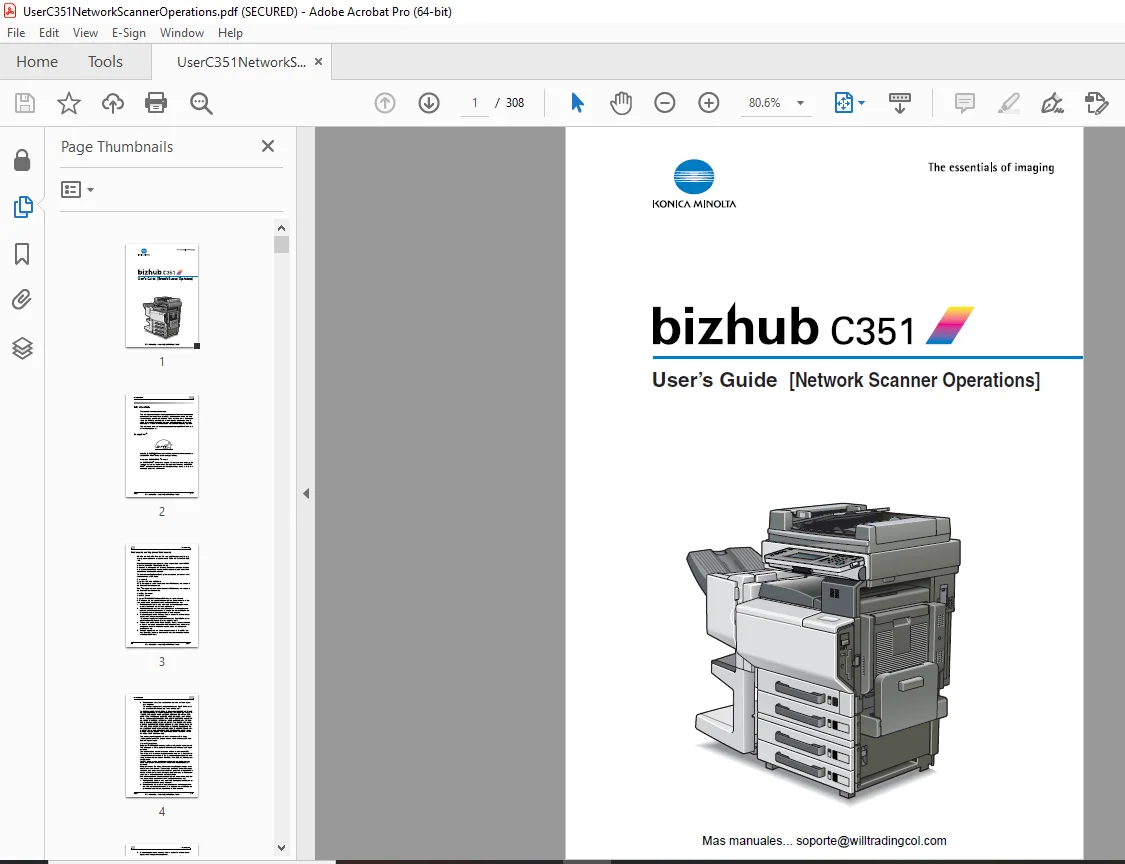
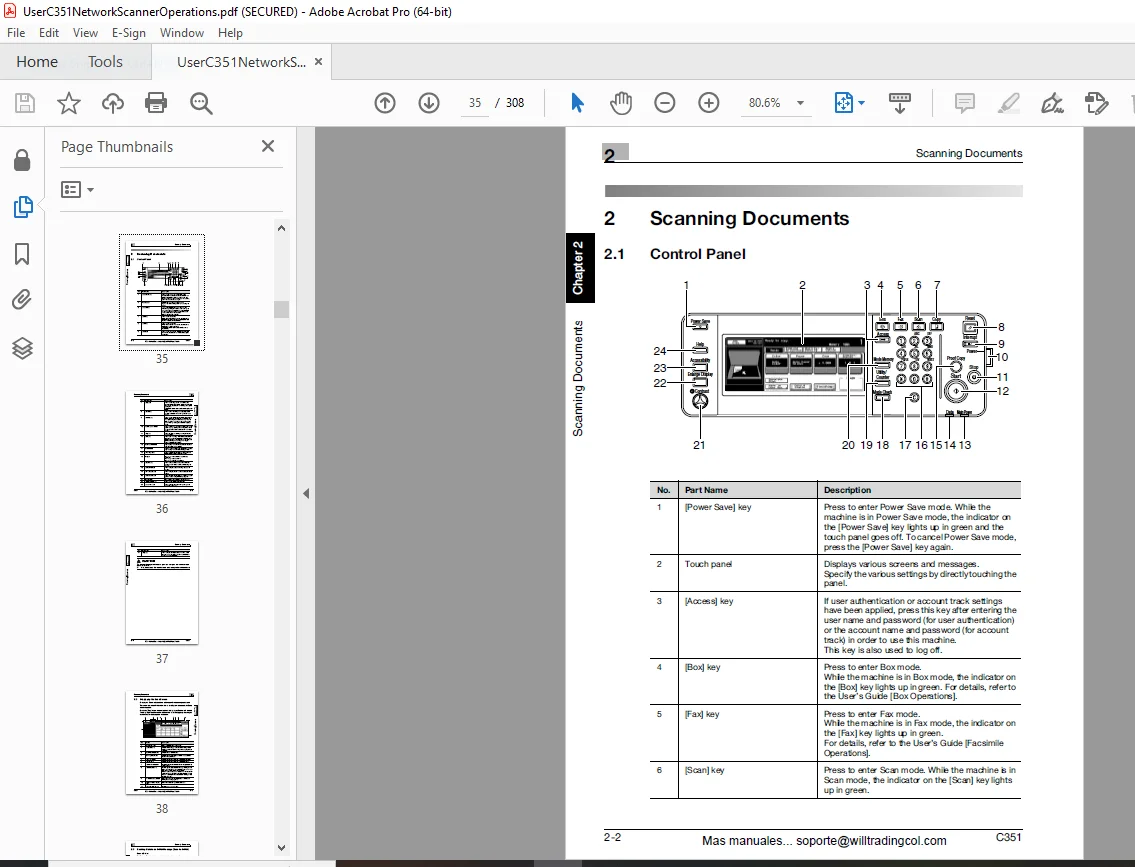
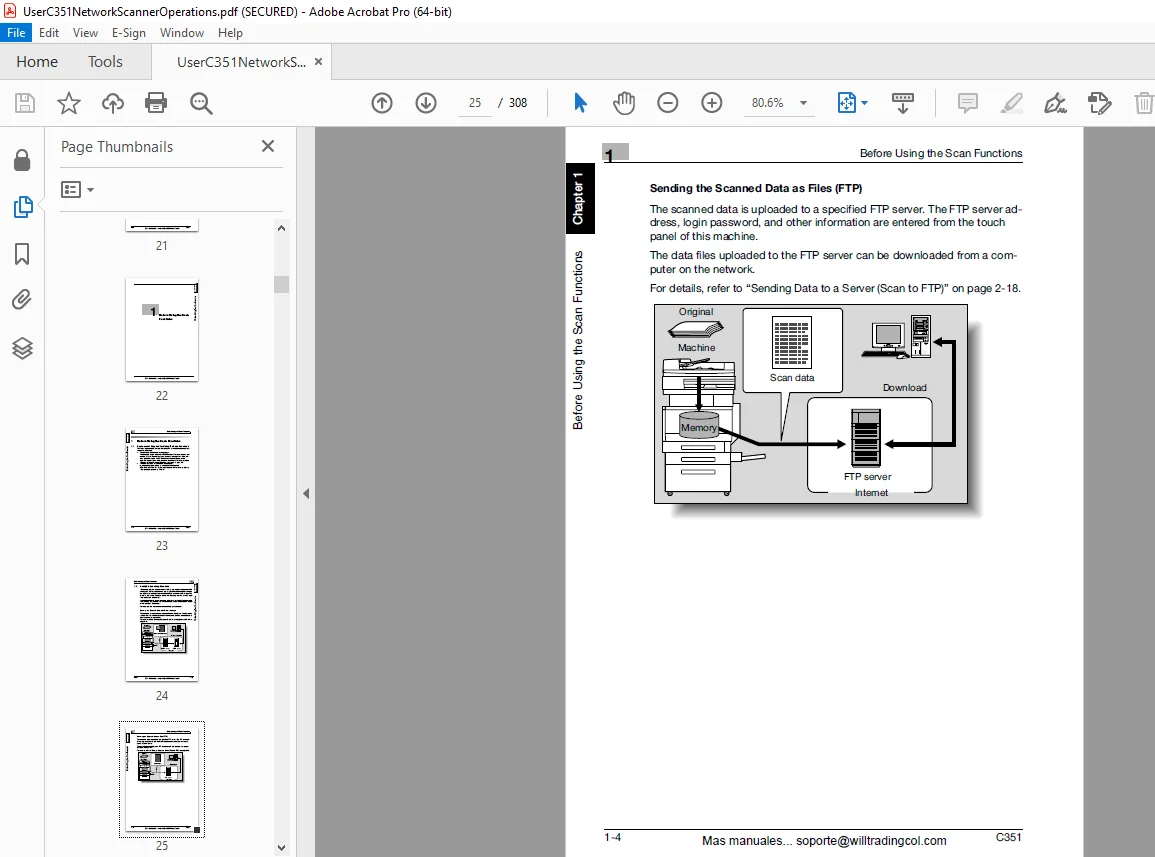
Konica Minolta bizhub C351 Network Scanner Operation User Manual – PDF
$28.95
Konica Minolta bizhub C351 Network Scanner Operation User Manual – PDF DOWNLOAD
Description
Konica Minolta bizhub C351 Network Scanner Operation User Manual – PDF DOWNLOAD
FILE DETAILS:
Konica Minolta bizhub C351 Network Scanner Operation User Manual – PDF DOWNLOAD
Language : English
Pages : 308
Downloadable : Yes
File Type : PDF
IMAGES PREVIEW OF THE MANUAL:
TABLE OF CONTENTS:
Konica Minolta bizhub C351 Network Scanner Operation User Manual – PDF DOWNLOAD
bizhub C351 User’s Guide (Network Scanner Operations) 1
Introduction 2
Energy Star® 2
Trademarks and Registered Trademarks 3
TOC 6
About this Manual 14
Explanation of Manual Conventions 15
User’s Guides 16
CD-ROM Configuration 18
1 Before Using the Scan Functions 22
11 Environment Required for Using the Scan Functions 23
12 Available Scanning Functions 24
13 Settings for Usng Network/Scanning Functions 29
14 Connecting to the Network 32
15 Flow Chart of Setup and Scanning Operations 33
2 Scanning Documents 34
21 Control Panel 35
22 Displaying the Scan Screen 38
23 Sending Data in an E-Mail Message (Scan to E-Mail) 39
24 Sending Data to a Server (Scan to FTP) 51
25 Sending Data to a PC on the Network (Scan to SMB) 63
26 Specifying the Scan Settings 74
27 Checking the Settings 93
28 Checking the Scanner Transmission Log102
3 Speicying Settings from the Control Panel106
31 Settings on the Control Panel107
32 Displaying Setup Screens109
33 Registering Abbreviated Destinations114
34 Registering Group Destinations125
35 Registering Program Destinations127
36 Specifying E-Mail Settings130
37 Setting the Main Scan Mode Screen134
38 Setting the Save Format on the Data to Be Scanned136
39 TCP/IP Settings141
310 NetWare Settings148
311 IPP Settings152
312 FTP Settings157
313 SMB Settings160
314 AppleTalk Settings162
315 Enabling LDAP Settings164
316 Setting Up LDAP Settings168
317 E-Mail TX (SMTP) Settings173
318 E-Mail RX (POP) Settings180
319 Device Settings183
320 Time Adjustment Settings185
321 Status Notification Settings188
322 PING Confirmation190
323 PSWC Settings193
324 SLP Settings194
325 LPD Settings195
326 SNMP Settings196
327 Prefix/Suffix Settings198
328 IS Open API Settings202
4 Specifying Settings Using PageScope Web Conenction208
41 Items That Can Be Specified Using PageScope Web Connection209
42 Using PageScope Web Connection211
43 Scan Registration (User Mode)216
44 Administrator Mode236
45 Network TWIN (System Tab)237
46 Scan Tab (Administrator Mode)238
47 Network Tab (Administrator Mode)241
5 Importing Images Using TWAIN266
51 Features and Operating Environment267
52 Installing the TWAIN Driver268
53 Importing Images269
54 Selecting the Scanning Device280
55 Registering a New Scanning Device283
6 Scan Function Troubleshooting288
61 Error List289
7 Appendix290
71 Product Specifications291
72 Entering Text294
73 Glossary298
74 Index304
DESCRIPTION:
Konica Minolta bizhub C351 Network Scanner Operation User Manual – PDF DOWNLOAD
Introduction:
- Thank you for choosing this machine. This user’s guide contains details on the operation of the network connection and scanner functions of the bizhub C351, precautions on its use, and basic troubleshooting procedures.
- In order to ensure that this machine is used cor rectly and efficiently, carefully read this user’s guide before using the ma- chine. After reading the manual, store it in the designated holder so that it can easily be referred to when questions or problems arise during operation.
- The illustrations used in this manual may appear slightly different from views of the actual equipment.
About This Manual:
- This User’s Guide covers the bizhub C351 network and scanning functions. This section introduces the structure of the manual and notations used for product names, etc.
- This manual is intended for users who understand the basic operations of computers and the machine. For operating procedures of the Windows or Macintosh operating system and application programs, refer to the respec- tive manuals.
Structure of the Manual This manual consists of the following chapters.
- Chapter 1 Before Using the Scan Functions
- Chapter 2 Scanning Documents
- Chapter 3 Specifying Settings From the Control Panel
- Chapter 4 Specifying Settings Using PageScope Web Connection
- Chapter 5 Importing Images Using TWAIN
- Chapter 6 Scan Function Troubleshooting Chapter 7 Appendix
G.B 28/02/25