Epson Stylus Color 3000 Users Manual – PDF DOWNLOAD
$27.95
Epson Stylus Color 3000 Users Manual – PDF DOWNLOAD
Description
Epson Stylus Color 3000 Users Manual – PDF DOWNLOAD
FILE DETAILS:
Epson Stylus Color 3000 Users Manual – PDF DOWNLOAD
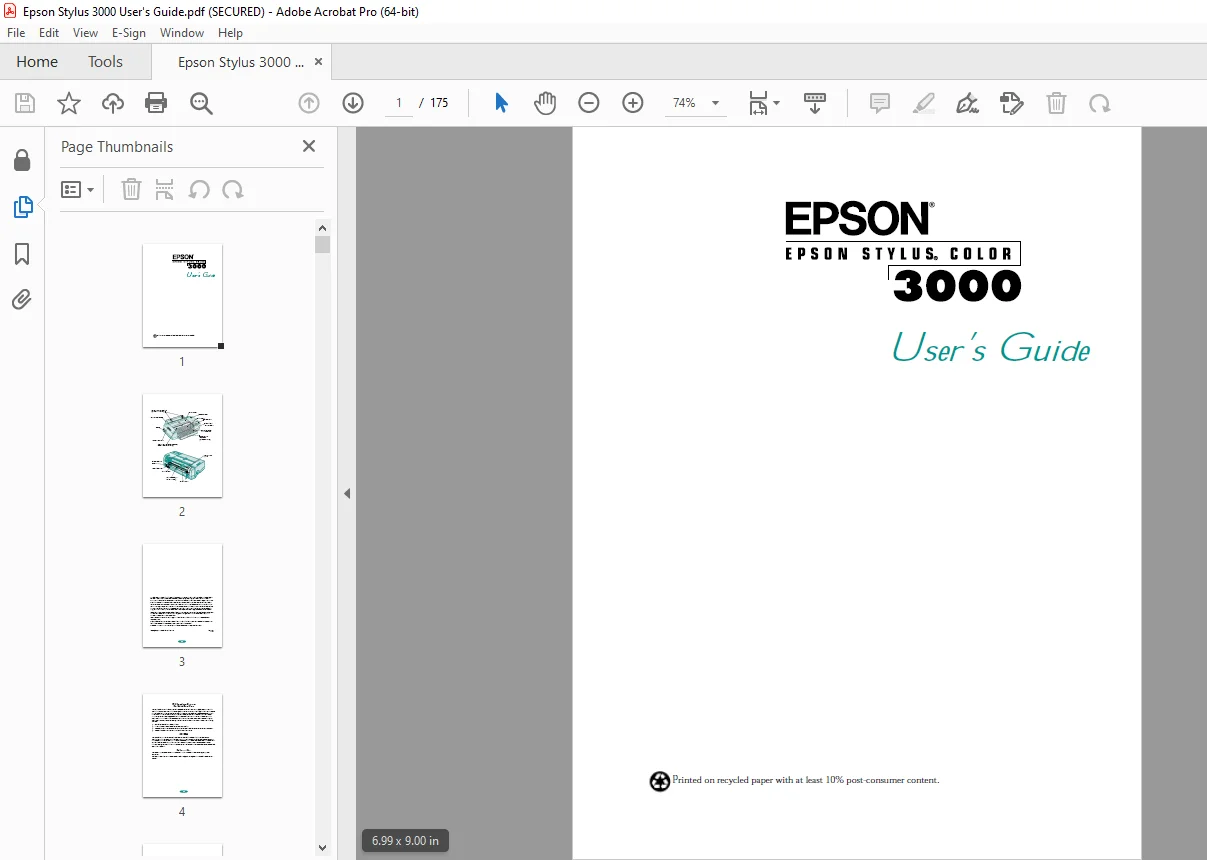
Language : English
Pages : 175
Downloadable : Yes
File Type : PDF
IMAGES PREVIEW OF THE MANUAL:
TABLE OF CONTENTS:
Epson Stylus Color 3000 Users Manual – PDF DOWNLOAD
Introduction
PC System Requirements 2
Macintosh System Requirements 3
How To Use Your Manuals 3
Warnings, Cautions, Notes, and Tips 5
Where To Get Help 5
Electronic Support Services 6
ENERGY STAR Compliance 7
Energy-saving Tips 7
Important Safety Instructions 8
1 Basic Printing
Printing from Windows 1-1
Setting Printer Options from Windows Applications 1-2
Setting Default Printer Options 1-5
Checking Printer Status 1-7
Printing from a Macintosh 1-9
Using Online Help 1-12
Accessing Help from Windows Applications 1-12
Accessing Help from Windows 95 1-12
Accessing Help from Windows 3.1 1-12
Accessing Help from Windows NT 4.0 1-13
Accessing Help from Windows NT 3.51 1-13
Accessing Help from Macintosh Applications 1-13
Contents vi
Using the Control Panel 1-14
Lights 1-14
Buttons 1-16
2 Custom Printing
Using Predefined Advanced Settings 2-1
Customizing Print Quality and Special Effects 2-4
Customizing Color Settings 2-8
Using ColorSync on the Macintosh 2-10
Saving Custom Settings 2-12
Deleting Custom Settings 2-13
Redefining Custom Settings 2-13
3 Printing on Special Media
Using Special Media Types 3-2
Media Loading and Software Settings Guidelines 3-3
Additional Media Loading Guidelines 3-5
Printing on Single Sheets 3-6
Loading Paper in the Paper Tray 3-7
Loading Paper in the Manual Feeder 3-12
Printing on Continuous Paper 3-15
Removing Continuous Paper 3-19
Using the Micro Adjust Buttons 3-20
Adjusting the Loading Position 3-21
Adjusting the Tear-off Position 3-22
Switching Between Continuous and Single Sheet Paper 3-22
Printing a Banner or Other Roll Paper Project 3-23
Loading Roll Paper 3-24
Printing a Banner from Windows 3-26
Printing a Banner from a Macintosh 3-30
Removing a Printed Banner 3-32
Contents vii
Printing a Backlit Display 3-33
Loading Back Light Film 3-33
Printing a Backlit Display from Windows 3-34
Printing a Backlit Display on a Macintosh 3-35
4 Managing Print Jobs and
Network Printing
Managing Print Jobs With Windows 95 or 3.1 4-1
Using the Spool Manager 4-2
Using the Status Monitor 4-4
Managing Print Jobs With Windows NT 4-6
Managing Print Jobs on a Macintosh 4-6
Using EPSON Monitor2 4-7
Using the Macintosh Status Monitor 4-8
Network Printing on a PC 4-9
Connecting to the Printer on
Windows NT 4.0 Systems 4-10
Connecting to the Printer on
Windows NT 3.51 Systems 4-11
Using the Printer Software’s Built-in
Network Support 4-12
Network Printing on a Macintosh 4-15
Assigning a Name to the Printer 4-15
Setting Up the Printer for AppleTalk 4-16
5 Using Your Printer with
DOS
Selecting Printer Software for DOS 5-1
Changing Printer Settings With Default-Setting Mode 5-3
Entering Default-Setting Mode 5-3
List of Default-Setting Options 5-5
Contents viii
Maintaining the Printer 5-7
Aligning the Print Heads With a DOS Utility 5-7
Selecting Character Tables 5-8
International Character Sets 5-16
Characters Available With the ESC ( ^ Command 5-17
Using Printer Commands 5-17
ESC/P 2 Control Codes 5-18
IBM XL24E Emulation Control Codes 5-19
6 Maintenance and
Transportation
Cleaning the Print Heads 6-1
Using the Head Cleaning Utility 6-2
Using the Control Panel 6-3
Examining the Nozzle Check Pattern 6-4
Replacing an Ink Cartridge 6-4
Removing and Installing an Ink Cartridge 6-5
Printing in Black Ink With an Empty Color Cartridge 6-6
Aligning the Print Heads 6-7
Using the Print Head Alignment Utility 6-7
Using the Control Panel 6-8
Cleaning the Printer 6-9
Transporting the Printer 6-9
7 Troubleshooting
Diagnosing Problems 7-1
Running a Self Test 7-2
Printing a Hex Dump 7-3
Improving Print Quality 7-4
Solving Printing Problems 7-8
Fixing Paper Problems 7-13
Solving Miscellaneous Printout Problems 7-17
Contents ix
A Using Optional Interfaces
Using Macintosh Interface Boards A-2
Using the PC Serial Interface Board A-2
Installing Optional Interfaces A-3
B Using EPSON Plot!
Installing EPSON Plot! B-1
Printing With EPSON Plot! B-2
C Specifications
Printing C-1
Paper C-3
Ink Cartridges C-5
Mechanical C-6
Electrical C-6
Environmental C-6
Safety Approvals C-7
Interfaces C-7
Glossary
Index
DESCRIPTION:
Epson Stylus Color 3000 Users Manual – PDF DOWNLOAD
Introduction:
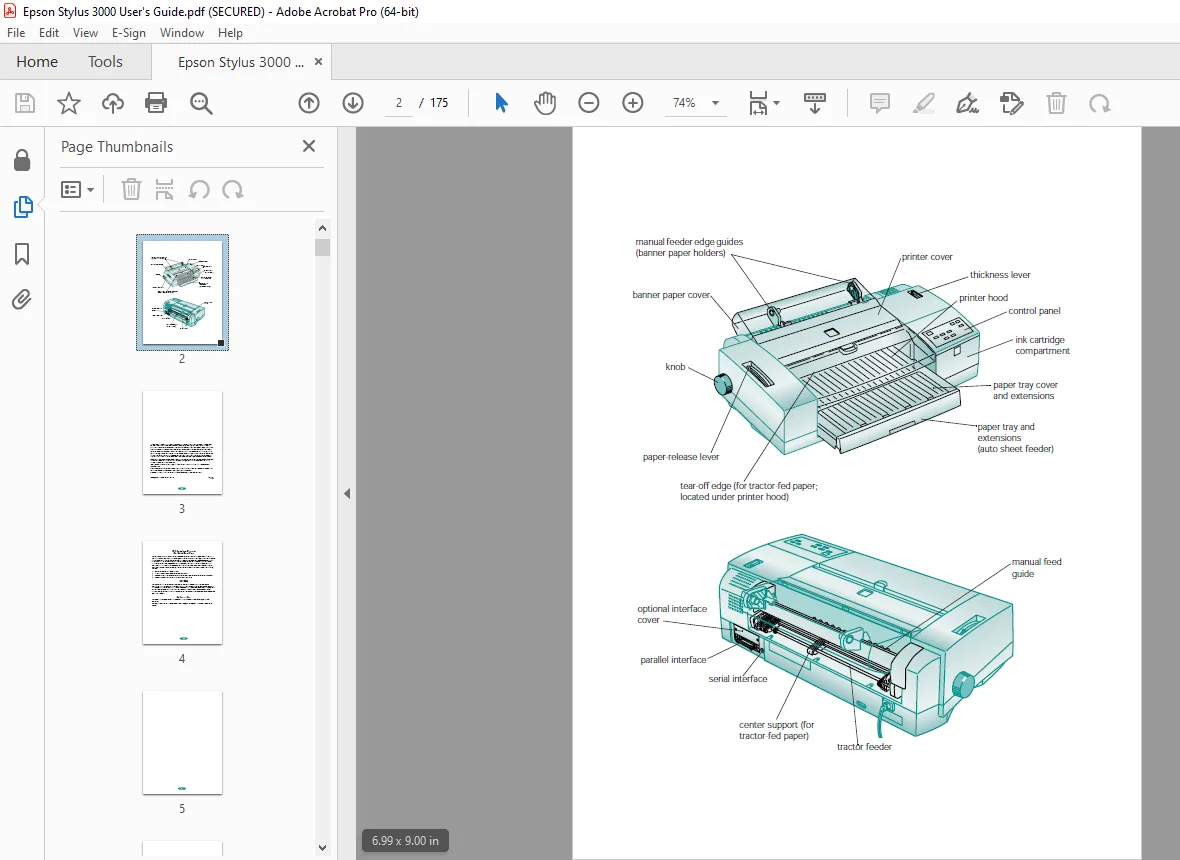
- Your EPSON Stylus® COLOR 3000 printer is the ideal output device for high-quality, large format graphic and business communication pieces—such as color comps, checkplots, maps, presentations, banners, iron-on transfers, and backlit displays— or any project you create.
- With resolutions up to 1440 × 720 dpi (dots per inch), you get amazingly realistic photographic images, vivid color graphics, superb grayscale images, and razor-sharp black printing for detailed line art and crisp text. Its large format capabilities (up to 17² × 22² size paper) and fast print speeds allow you to print full bleed, 13² × 19,² photo quality color comps with ease. And its versatile, built-in paper feeding options let you print on virtually any media, of almost any size, including single sheets, continuous fold paper, and roll paper.
- You can even load continuous paper and single sheets simultaneously, printing on each in turn by flipping a lever. The printer software for Microsoft® Windows® and Apple® Macintosh® computers provides advanced color management, with adjustable levels of brightness, contrast, saturation, and ink colors. Support for ColorSync™ 2.01 and Windows 95 ICM ensures printouts that closely match the colors on your monitor.
- You can also perform many printer maintenance procedures right from your computer, such as cleaning and aligning the print heads. And EPSON’s extensive online help can guide you through printer operations in real time.
How To Use Your Manuals:
To set up your printer and install your printer software, see the Quick Setup booklet. This User’s Guide contains the following information:
- Chapter 1, “Basic Printing,” gives step-by-step instructions for everyday printing with Windows or Macintosh.
- Chapter 2, “Custom Printing,” tells you how to print special projects with custom settings for print quality, special effects, and color management. Introduction 4
- Chapter 3, “Printing on Special Media,” gives guidelines for selecting the right paper or other media for your print job and instructions for loading it in your printer.
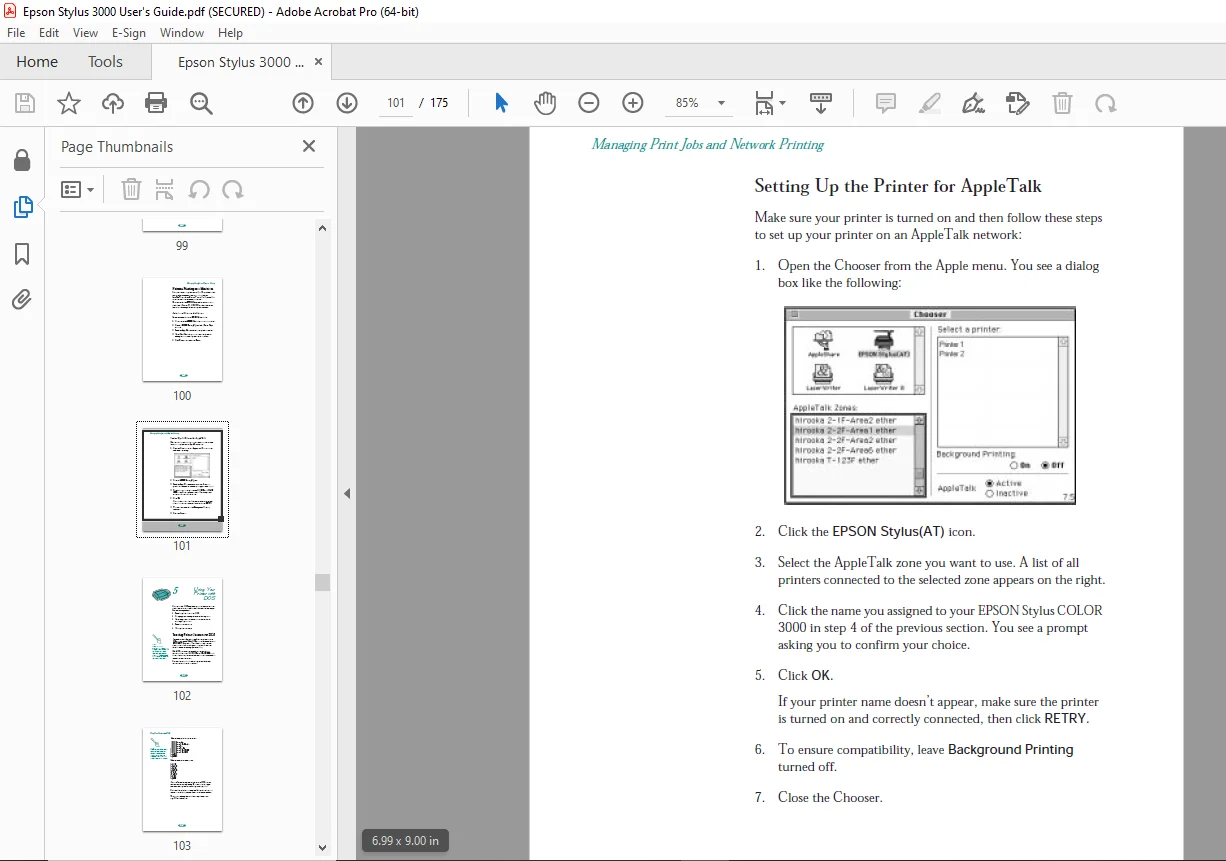
- Chapter 4, “Managing Print Jobs and Network Printing,” explains how to manage print jobs, check printer status, and set up your system for network printing.
- Chapter 5, “Using Your Printer with DOS,” tells you how to use your printer with DOS applications, including selecting printer software for DOS, changing printer settings using default-setting mode, aligning the print heads, selecting character tables, and using printer commands.
- Chapter 6, “Maintenance and Transportation,” gives instructions for replacing ink cartridges, cleaning and aligning the print heads, and cleaning and transporting the printer.
- Chapter 7, “Troubleshooting,” provides solutions for any printing problems you may have.
- Appendix A, “Using Optional Interfaces,” lists the optional interface boards and gives instructions for installing and using them.
- Appendix B, “Using EPSON Plot!,” gives instructions on how to install and use the EPSON Plot! program to print HPGL or HPGL/2 plotter files.
- Appendix C, “Specifications,” provides the technical details on your printer, ink cartridges, and EPSON media. A Glossary and an Index are included at the end of the book.
G.B 03/03/25